Aster plays your Jellyfin server like television. Tune into channels you build from your own shows, watch anime with its real openings, and open discs through their menus.
Apple TV, iPhone, iPad and Mac. Windows, Android and Android TV are coming soon.
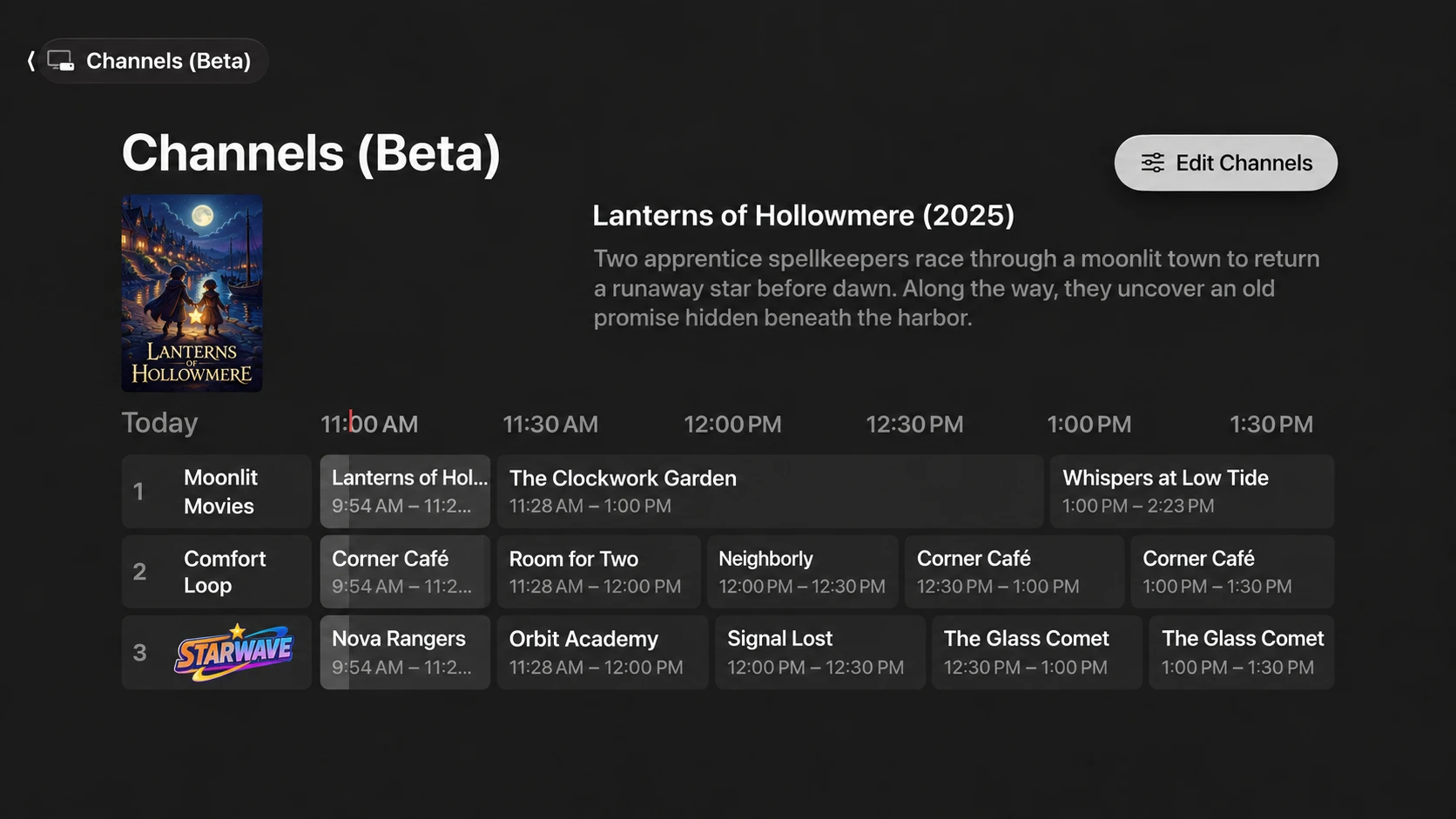
The Channels guide in Aster for Apple TV. Beta · Channels plugin
Features
The parts of TV you missed, built for your own server
Aster connects to the Jellyfin server you already run. Your media stays where it is.
Channels Beta
Turn any Jellyfin playlist into a channel that's always on. Choose how it plays: shows taking turns, blocks of episodes, a fresh shuffle each day, the playlist in order, or everything in original air order. Add whole genres, networks or collections, and new episodes join the lineup by themselves.
Breaks between shows with your own commercials, promos, trailers, interstitials and bumpers, at the length and frequency you set
Start shows on the hour or half hour, with breaks stretching to fill the gap
Channel logos in the guide and an optional on-screen logo in the corner
Filter by library, year, age rating or running time, and give favourite shows more airtime
Keep a channel to certain users, or share it with everyone on your server
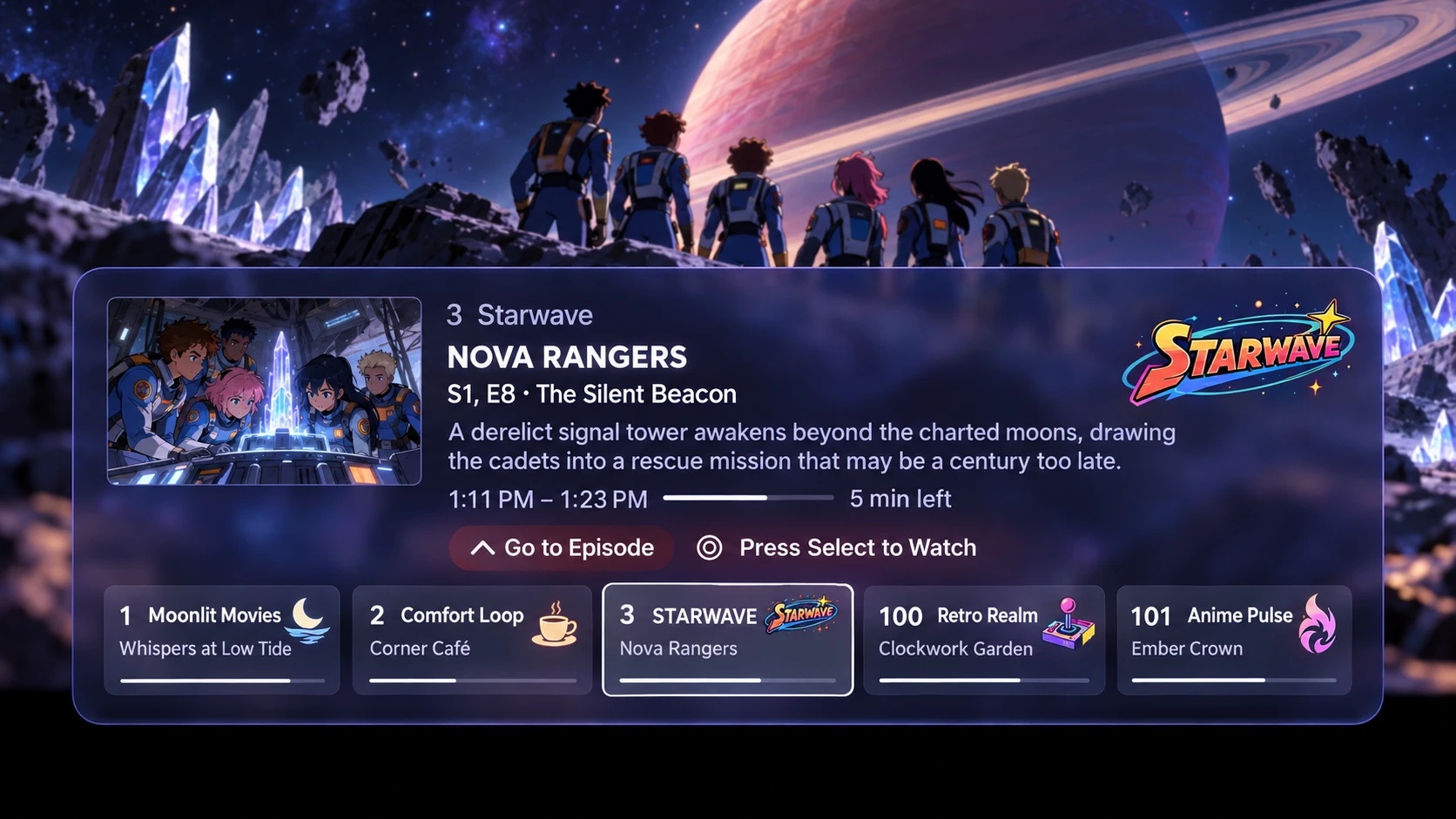
Flip through channels over what you're watching, see how much is left, or go to that episode in your library
Edit your lineup right from the guide in the app
1 Moonlit Movies · now: Lanterns of Hollowmere · next: The Clockwork Garden
Every opening and ending, matched to the episodes it played in. Aster shows the song title, artist and episode range, and each theme can come in three versions: the TV cut, the full-length song and the official music video.
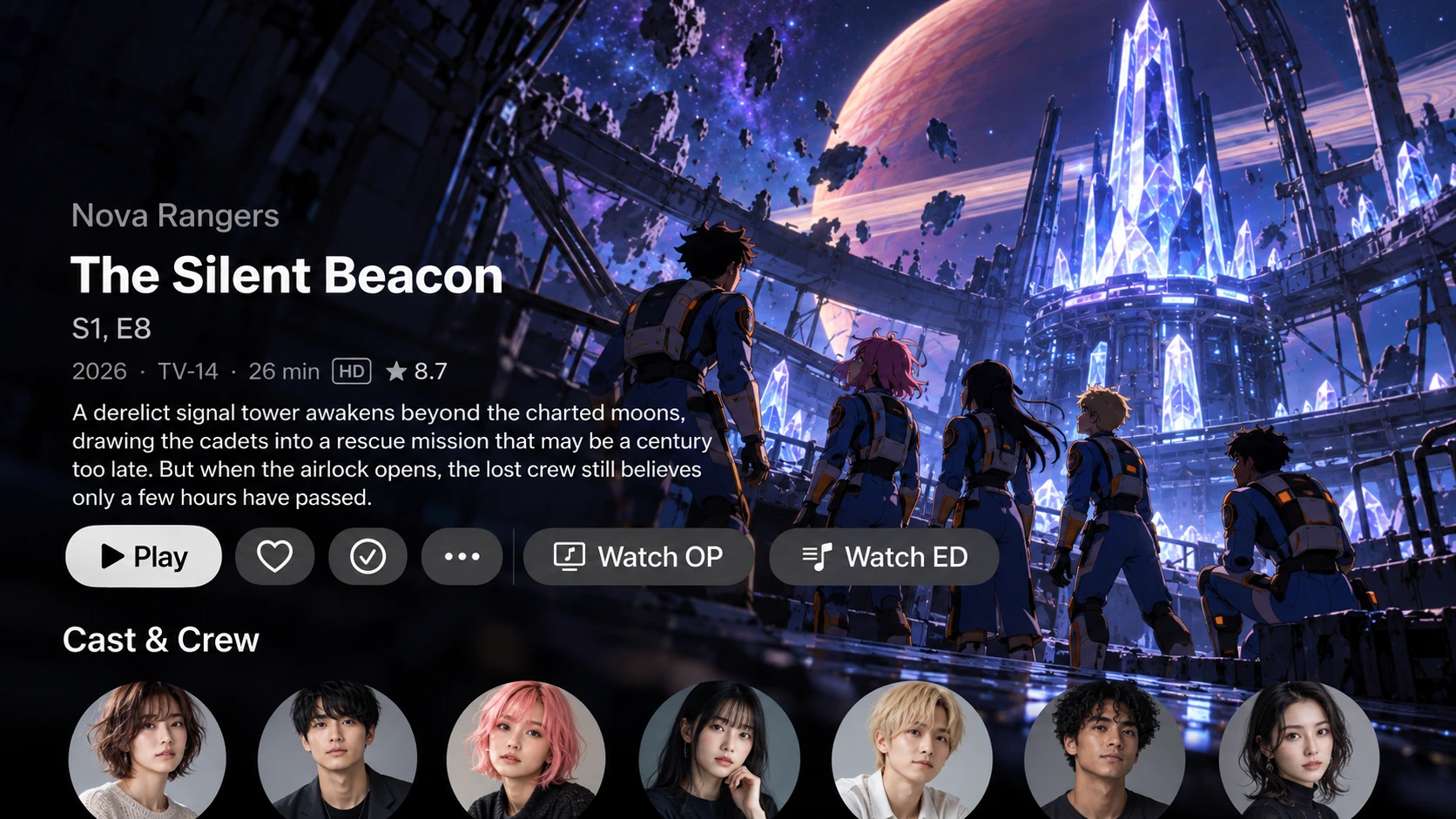
Watch OP and Watch ED buttons on episode pages play that episode's themes on their own
Song details from AnimeThemes.moe, or your own when you'd rather write them
Themes get their own music video and music libraries, so search, playlists and favourites just work
Missing an opening? Cut it from your own episodes using their chapter markers, and approve each clip before it's added
Spoiler and NSFW flags are respected, and themes follow your parental controls
OP1 · Starfall · Lumina// · eps 1–12 · TV · Full · MV
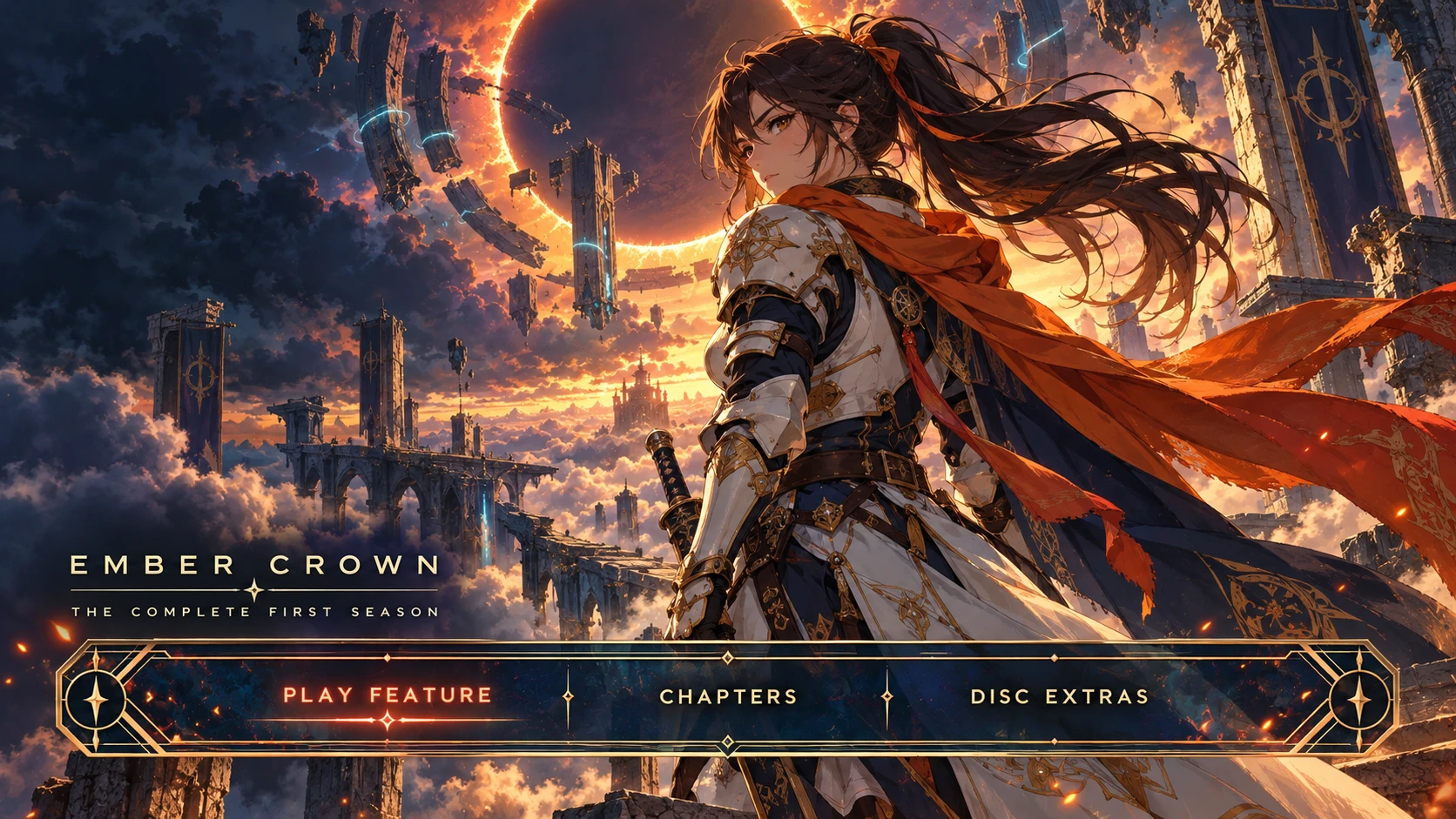
Open a film the way the disc did. Disc menus bring back the main menu, scene selection and special features, so the extras you ripped finally have a home.
Play the feature, play everything in order, or pick a scene from chapter thumbnails
Backgrounds from the film's artwork, your own images or its trailer on a loop, with music, button sounds and transitions
Build menus in a visual editor with a live preview, or draft one from a film's own extras and chapters
Install menus other people have made from a shared catalogue
Ember Crown · Play Feature · Chapters · Disc Extras
Sign in to the Jellyfin server you already run and pick up where you left off. Your libraries, users, watch progress and parental controls all come from Jellyfin, so Aster fits into the setup you have instead of replacing it.
Channels, anime themes and disc menus use free companion plugins that you install on your Jellyfin server. Every feature is free.
Screenshots
See it on the big screen
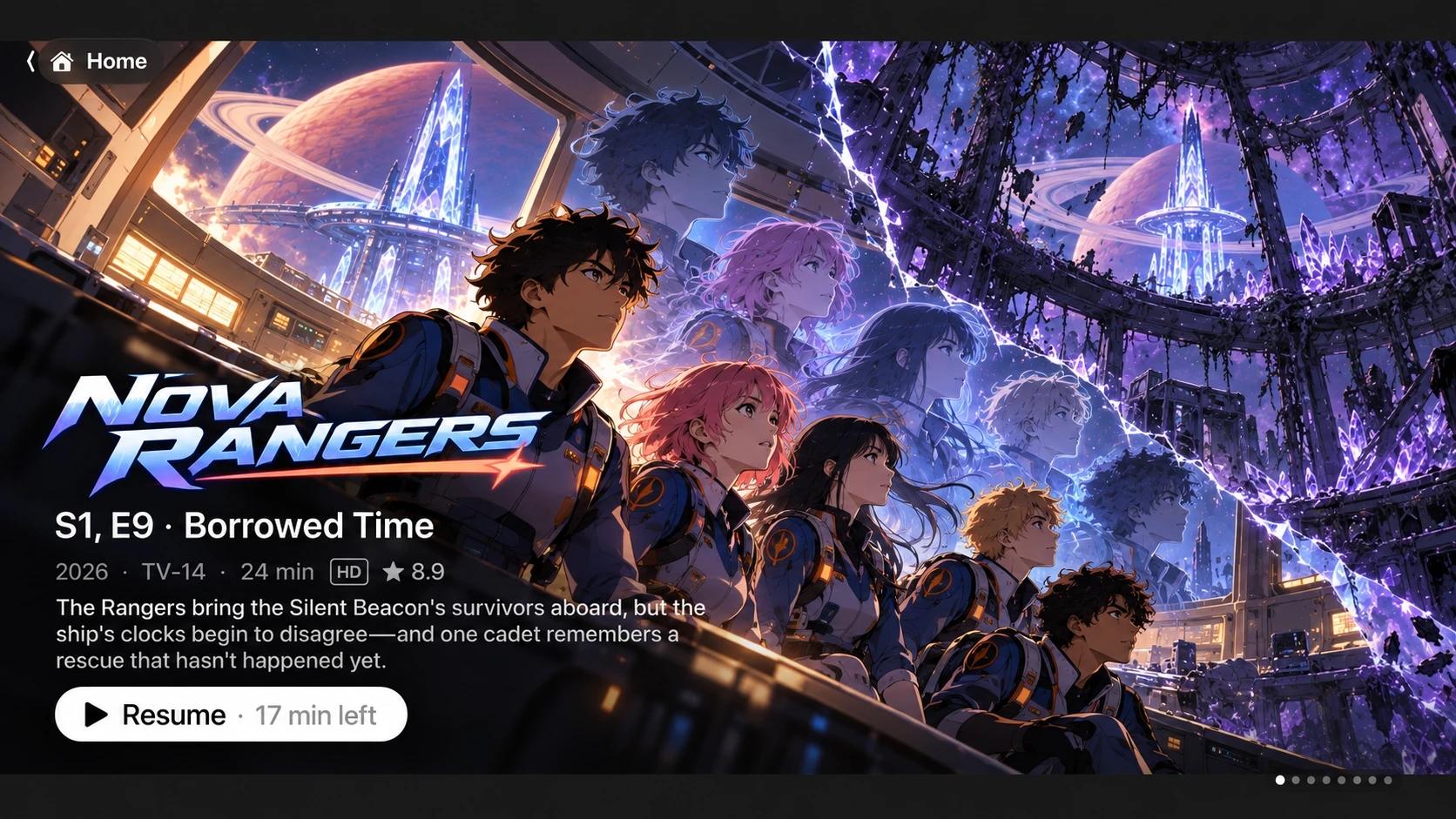
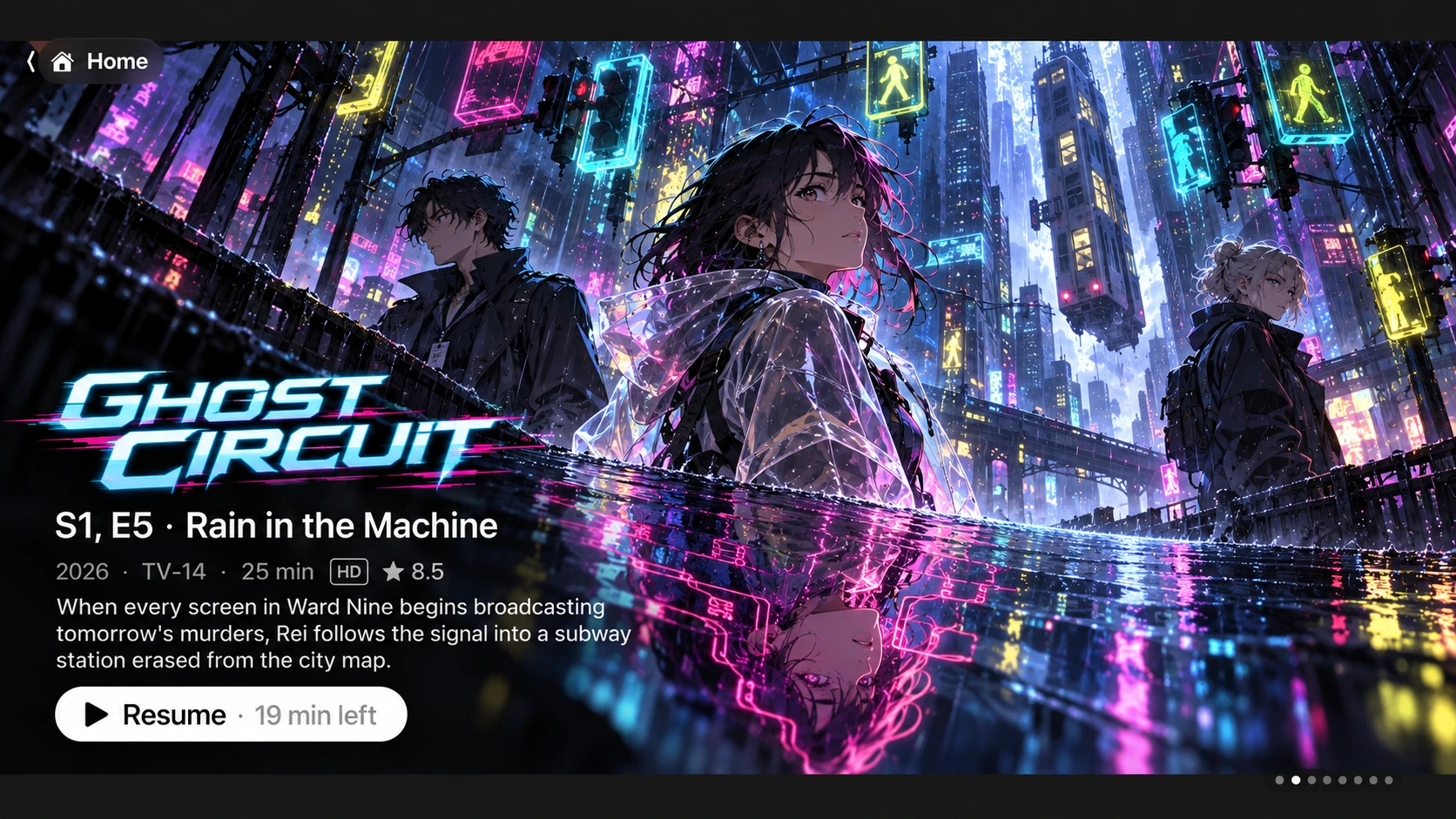
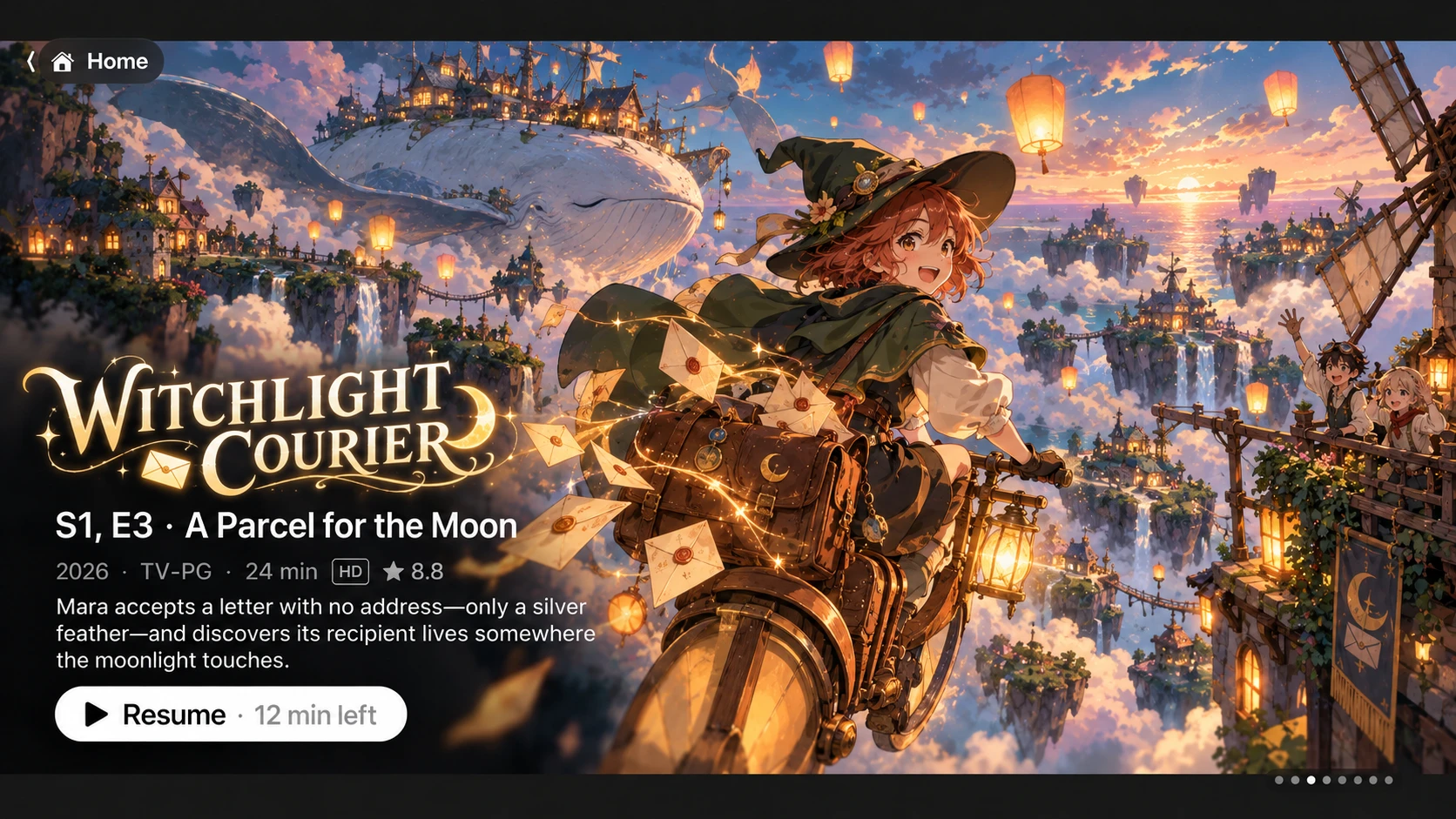
Home. Pick up where you left off. The home screen features the shows you're in the middle of, one after another, with full-screen artwork, the episode's details and a Resume button that tells you how much is left.
Flip channels. Browse every channel without leaving what you're watching. Each one shows what's on and how far along it is. Press Select to tune in, or go straight to that episode in your library.
Beta · Channels pluginEpisode pages. Artwork, rating, runtime and cast at a glance. When a show has themes, Watch OP and Watch ED play that episode's opening or ending on their own.
Anime OP/ED pluginOpening cards. Every opening and ending plays with its song title, artist and episode range. Switch between the TV version, the full song and the official music video.
Anime OP/ED pluginDisc menus. Open a film or season the way the disc did, with its own menu art. Play the feature, jump to a chapter, or browse the extras.
Disc menus plugin
Artwork in these screenshots is AI-generated for illustration. The shows shown are fictional.
Platforms
On the screens you watch
Apple TVAvailable
iPhone & iPadAvailable
MacAvailable
WindowsComing soon
AndroidComing soon
Android TVComing soon
Made for the love of it.
Aster exists because of the generosity of the open-source community, especially the developers behind Jellyfin.
I considered charging for Aster's unique features, but decided to follow their example. Everything is free and open-source. No subscriptions. No locked features. Ever.
If Aster brings you a little joy, consider supporting its development. If not, that's okay too. Enjoy it, share it, and make it your own.